Automating Meeting Spaces: Understanding CamConnect Zone Mode and Preset Free
Written by Kieron Seth, Product Marketing Director at Lumens
October 30, 2026 112
CamConnect has been deployed in hundreds of meeting rooms, boardrooms, presentation spaces, and teaching environments. Since its launch, the platform has matured, adapting to customer requirements and evolving to support a wide variety of use cases.
In practice, CamConnect is typically applied in three main types of environments.
▶1. Formal Discussion Spaces and Debating Chambers
Spaces such as council chambers, courtrooms, academic symposia, and boards of enquiry commonly use discussion systems built around gooseneck microphones. These systems are often part of a broader technical integration that can include multilingual interpretation, voting functionality, and delegated microphone control. Their primary purpose is to ensure clear audio capture, facilitate structured interaction between participants, and allow the chairperson to manage proceedings effectively.
As expectations around transparency and accessibility continue to grow, video has become an increasingly important component of these spaces. Meetings are no longer confined to those physically present, with remote participants and broadcast audiences now playing a key role.
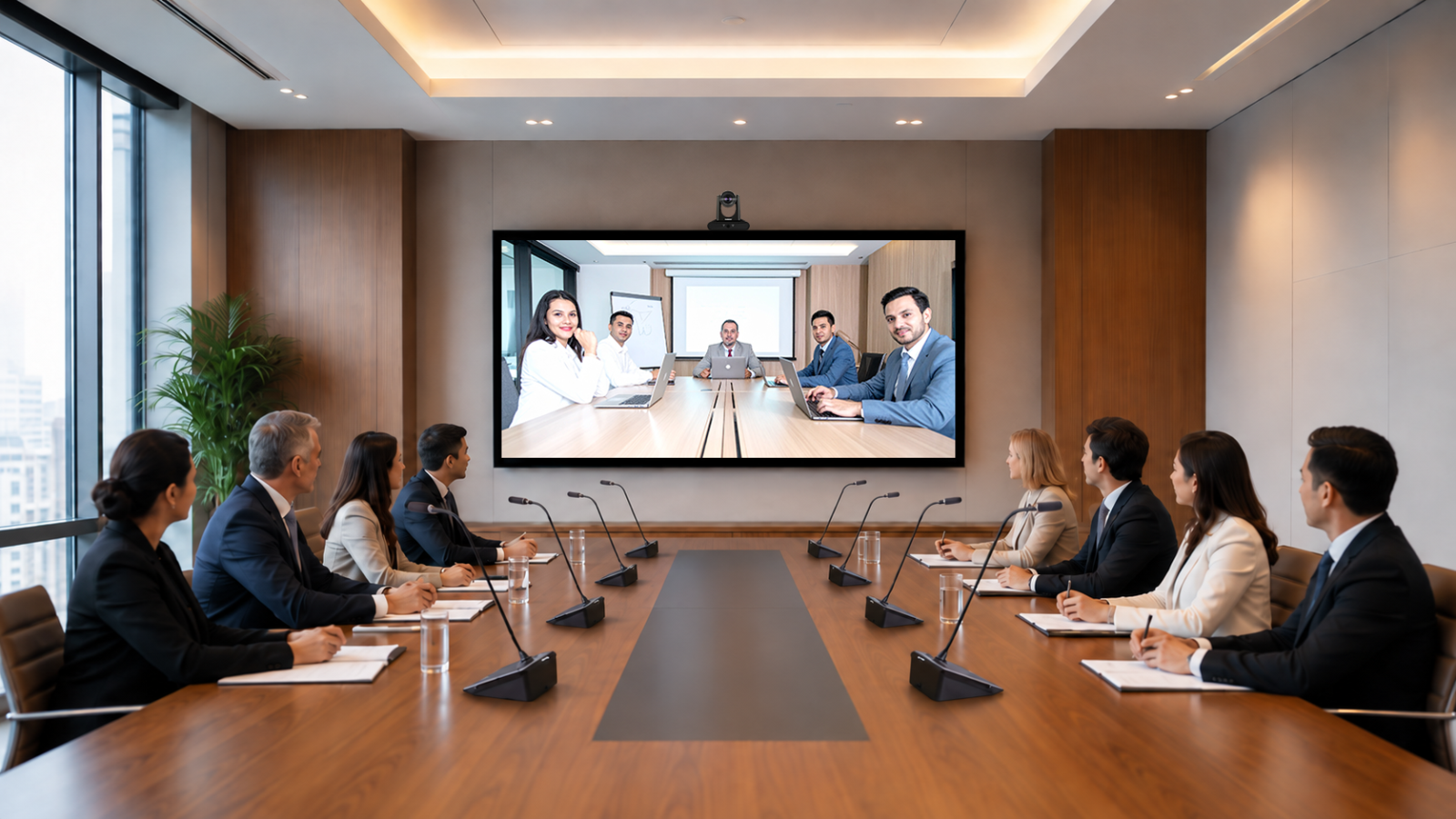
CamConnect Pro addresses this need by integrating multiple cameras directly with the discussion system. It automatically identifies the active speaker, frames them appropriately, and switches between cameras in real time as the discussion progresses. The system is designed to connect easily to platforms such as Microsoft Teams or Zoom, with the AI-Box1 providing both HDMI and USB-C outputs for integration with in-room displays and streaming workflows. Installation is quick, and once configured, the system operates seamlessly without requiring user intervention.
A typical setup includes a Lumens AI-Box1, Lumens VC PTZ cameras, and a compatible discussion system including:
- Audio-Technica ATUC-50
- Shure MXCW
- Televic D-Cerno AE
- Yamaha RM-W
Many boardrooms and lecture theatres are built around fixed layouts, where seating positions remain consistent over time. While these spaces may look familiar, the way they are used has changed significantly. Hybrid meetings are now the norm, with remote participants joining via Teams or Zoom, sessions being streamed to wider audiences, and recordings made available for later viewing.
To support this, CamConnect integrates with installed ceiling or wall-mounted microphone arrays. These microphones provide direction of arrival (DOA) data, allowing the system to determine exactly where sound is coming from within the room. CamConnect maps this audio data to predefined seating zones, enabling it to automatically direct PTZ cameras to the current speaker and select the most appropriate viewing angle.
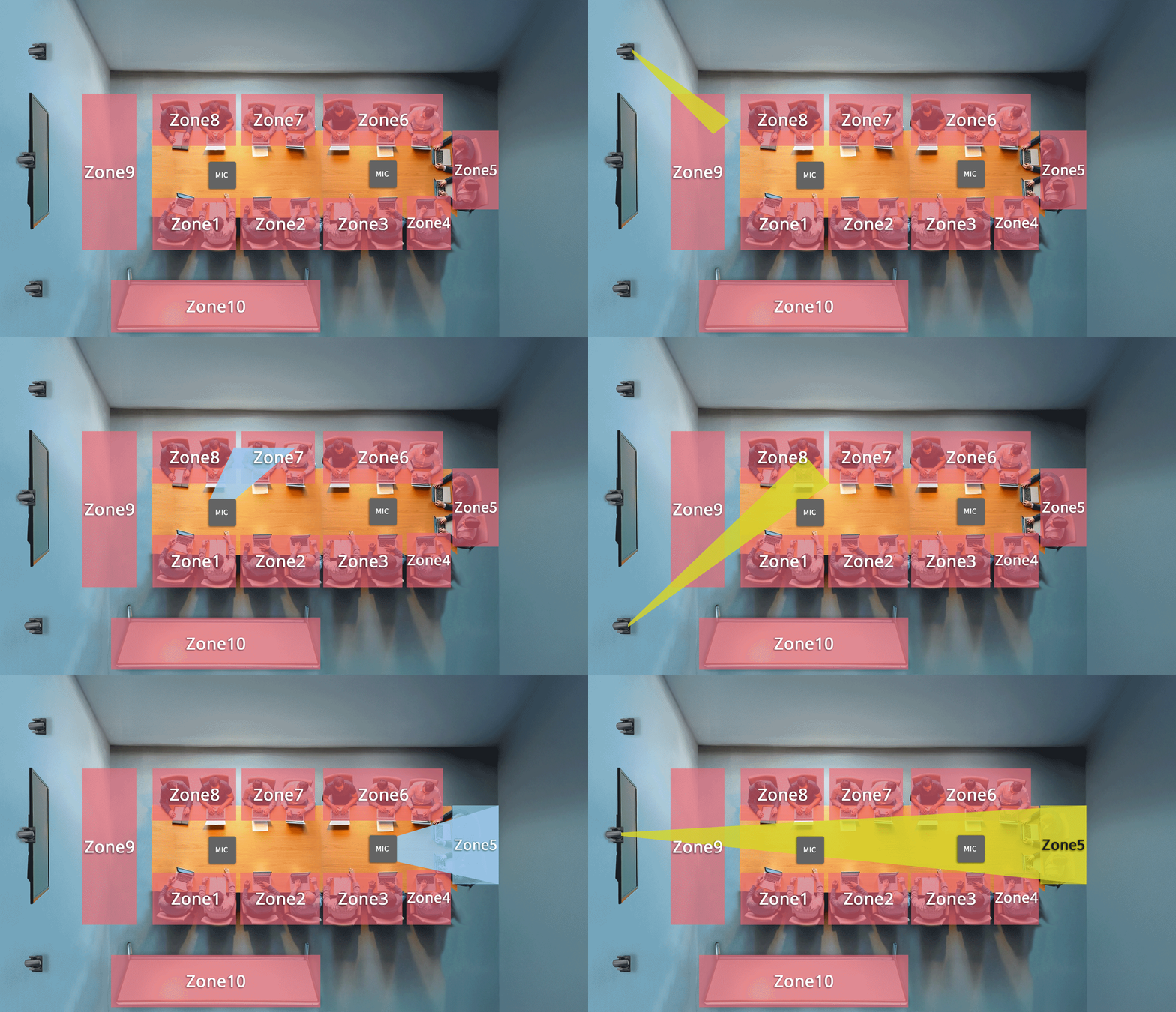
In larger spaces with multiple rows, such as lecture halls, the system's Zone Mode can be used to refine accuracy or to identify broader areas within the room. This ensures that even in denser seating arrangements, the correct speaker is captured consistently.
Because the system relies on real-time DOA data, it benefits from highly precise sound localisation. Lumens pre-configures CamConnect to work seamlessly with a range of compatible microphones, including models from Audio-Technica, Nureva, Sennheiser, Shure, and Yamaha.
A standard deployment in this scenario consists of:
- Lumens AI-Box1
- Lumens BC-200 room analysis cameras (2-4 units)
- Lumens VC PTZ cameras (2-4 units)
- Compatible DOA ceiling microphones:
- Audio-Technica ATND1061DAN / ATND1061LK
- Nureva HDL410
- Shure MXA920
- Sennheiser TCC2 / TCCM
- Yamaha RM-CG
▶ 3. Multi-purpose Meeting and Presentation Rooms
While CamConnect performs extremely well in rooms with fixed layouts, many modern spaces are designed to be flexible. A single room may shift between presentation mode, boardroom discussions, or collaborative layouts such as U-shaped or round-table configurations.
.png)
CamConnect (Preset-free Mode) has been developed specifically for these environments. Unlike the zone mode, which relies on predefined seating maps, Preset-free Mode operates dynamically. It continuously identifies the location of active speakers and automatically frames and switches cameras to follow the discussion, regardless of how the room is arranged.
The system is capable of recognising whether participants are seated or standing and adapts accordingly. This makes it particularly effective in spaces where presenters move around or where layouts change frequently.
To achieve this level of flexibility, CamConnect (Preset-free Mode) combines two data sources. Like CamConnect (Zone Mode), it uses DOA data from ceiling microphones to detect the direction of sound. In addition, it incorporates visual input from the Lumens BC-200 room analysis camera, which continuously scans the space. By combining audio and visual data, the system can track participants with greater intelligence and accuracy, all while operating autonomously without user control.
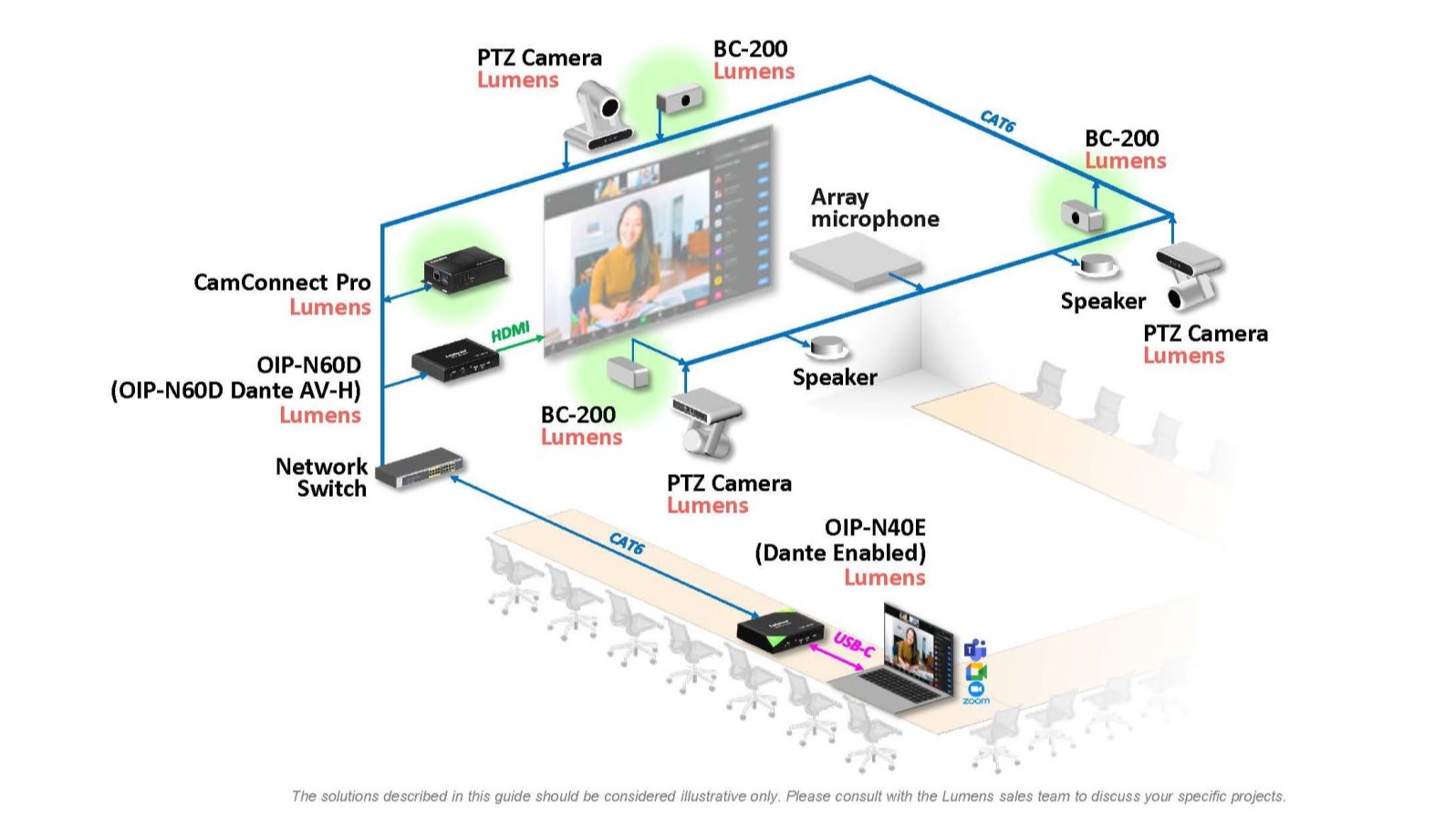
A typical installation includes:
- Lumens AI-Box1
- Lumens BC-200 room analysis cameras (2-4 units)
- Lumens VC PTZ cameras (2-4 units)
- Compatible DOA ceiling microphones:
- Shure MXA920
- Sennheiser TCC2 / TCCM
- Yamaha RM-CG
Click here Back to Top ↑